
Honeywell Pro Series Installation Manual: A Comprehensive Guide
Welcome! This manual details the installation of your new Honeywell T6 Pro Series thermostat. The package includes the thermostat, UWP™ mounting system, cover plate, screws, batteries, and literature.
Important: Always shut off power before installation. Proper mounting and wiring are crucial for optimal performance. Refer to the diagrams for clarity and safety.
Understanding the T6 Pro Series Package Contents
Upon opening your Honeywell T6 Pro Series package, you’ll find several key components essential for a successful installation. The core of the system is, of course, the T6 Pro Thermostat itself, designed for programmable comfort and energy efficiency. Accompanying the thermostat is the innovative UWP™ Mounting System, engineered for streamlined wall mounting and secure placement.
Aesthetically, the package includes a Decorative Cover Plate, available in square or rectangular designs, to seamlessly blend with your home décor and conceal any existing wall imperfections or paint gaps from previous thermostats. You’ll also receive the necessary hardware: a selection of Screws and Anchors, carefully chosen to ensure a robust and lasting connection to various wall types.
To get you started immediately, the kit provides 2 AA Batteries, enabling initial operation even before permanent power connection. Finally, comprehensive Thermostat Literature (T6 Pro Programmable) is included, offering detailed instructions and guidance throughout the installation process. Always read this literature before beginning installation to familiarize yourself with the system and ensure a smooth setup.
Initial Safety Precautions & Power Shut-Off
Safety is paramount when installing your Honeywell T6 Pro Series thermostat. Before commencing any work, absolutely ensure the power is switched off at the breaker box or main switch supplying power to your heating and cooling system. This prevents electrical shock and potential damage to the thermostat or your home’s electrical system.
Double-check that the power is off by verifying that the existing thermostat no longer displays any power or functions. Never attempt to work with wiring while power is present. If you are uncomfortable or unfamiliar with electrical work, consult a qualified electrician.
Additionally, carefully inspect the wiring for any signs of damage or wear. If damaged wiring is present, address it before proceeding. Keep children and pets away from the work area during installation. Always wear appropriate safety glasses to protect your eyes. Following these precautions will ensure a safe and successful installation process, protecting both you and your property.
UWP™ Mounting System Overview
The UWP™ (Universal Wall Plate) is a key component of the Honeywell T6 Pro Series installation, providing a versatile and secure mounting solution for your new thermostat. It’s designed to accommodate various wall configurations and conceal existing paint gaps from previous thermostat installations. The UWP consists of two primary parts: the UWP itself and a separate decorative cover plate.
The UWP features a hinged door for easy access to wiring during installation. Multiple screw holes are provided to ensure compatibility with different wall types and anchor placements. It’s designed to hang securely on the mounting plate, offering a clean and professional finish.
The optional decorative cover plate further enhances the aesthetic appeal, covering any imperfections on the wall. Different cover plate styles are available (square or rectangular) depending on your needs and the existing wall conditions. The system prioritizes ease of installation and a polished appearance.
UWP Mounting System Installation ⏤ General Steps
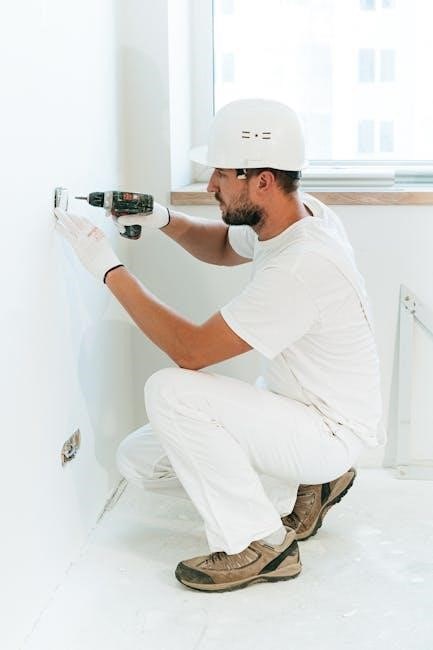
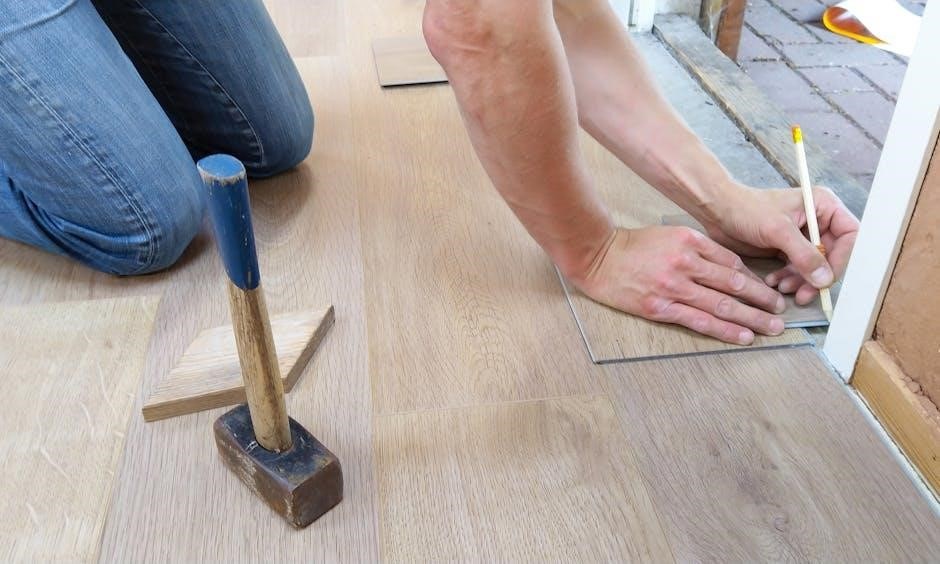
Begin by powering off the system at the breaker box or switch – safety first! Locate the UWP™ within the package. Position the UWP on the wall where the thermostat will be installed, ensuring it’s level. Carefully mark the positions for the mounting holes using a pencil.
Next, drill holes at the marked locations. The drill bit size depends on the anchors provided: 7/32” for red anchors and 3/16” for yellow anchors. Gently tap the supplied wall anchors into the drilled holes using a hammer.
Open the UWP’s door and feed the thermostat wires through the designated wiring hole. Align the UWP over the installed wall anchors. Secure the UWP to the wall using the provided mounting screws, tightening them until the plate is firmly in place but avoid over-tightening. Finally, close the UWP door.
Drilling Holes & Anchor Selection (Red vs. Yellow)
Precise drilling is essential for a secure UWP™ mounting. Before you begin, identify the color of the wall anchors included in your kit – this dictates the correct drill bit size. Red anchors require a 7/32” drill bit, while yellow anchors necessitate a 3/16” drill bit. Using the incorrect size can compromise the anchor’s grip and stability.
After marking the hole positions based on the UWP™ placement, carefully drill the holes to the appropriate depth. Avoid excessive force; let the drill do the work. Once drilled, gently tap the wall anchors into the holes using a hammer. Ensure they are flush with the wall surface, providing a solid base for the mounting screws.
Double-check your anchor selection and drill bit size before proceeding. Incorrect installation can lead to a loose or unstable thermostat mounting. Proper anchor selection guarantees a secure and long-lasting installation.
Wiring Access Through the UWP
Before mounting the UWP™, you must prepare for wire access. Carefully pull the UWP™ door open to reveal the wiring access hole. This opening is specifically designed to accommodate the thermostat wires from your existing system.
Gently insert the thermostat wires through this wiring hole. Ensure sufficient wire length is available within the UWP™ to facilitate easy connection to the thermostat terminals later. Avoid forcing the wires, as this could damage them or the UWP™ itself.
Take care to avoid pinching or crimping the wires during insertion. A clean and unobstructed wire path is crucial for reliable operation. Once the wires are through, proceed with mounting the UWP™ to the wall anchors, ensuring the wires aren’t strained or compromised during the process.
Proper wire management at this stage simplifies the final thermostat connection.
Securing the UWP to Wall Anchors
With the wires routed through the UWP™ and the unit positioned over the pre-installed wall anchors, it’s time to secure it to the wall. Carefully align the UWP™ mounting holes with the anchors.
Using the screws provided with the UWP™ kit, insert them through the mounting holes and begin tightening. It’s crucial not to overtighten the screws, as this could damage the UWP™ or strip the wall anchors.
Tighten the screws gradually and evenly, alternating between them to ensure balanced pressure. Continue tightening until the UWP™ is firmly against the wall and no longer exhibits any movement. A snug fit is ideal; excessive force is unnecessary.
Once secured, close the UWP™ door. Verify the unit is stable and properly aligned before proceeding to the next installation step. A secure UWP™ is foundational for a successful thermostat installation.
Square Cover Plate Installation ⏤ Step-by-Step
Begin by separating the square cover plate from the mounting plate. This allows for easier access during the UWP™ installation process. Once the UWP™ is securely attached to the mounting plate (already affixed to the wall), you can proceed with cover plate installation.
Carefully align the square cover plate with the mounting plate. Ensure all edges are flush and that the cover plate sits squarely over the UWP™. The mounting plate features eight screw holes to accommodate various installation scenarios.
Using the screws supplied with the cover plate kit, insert them into the screw holes and tighten. Again, avoid overtightening, as this could damage the plastic components. Tighten the screws gradually and evenly for a secure fit.
Double-check that the cover plate is firmly attached and that no gaps exist between the plate and the wall. A properly installed cover plate conceals any paint gaps from previous thermostats, providing a clean, finished look.
Rectangular Cover Plate Installation ⎼ Step-by-Step
The process begins similarly to the square cover plate installation: ensure the UWP™ is already securely mounted to the wall via the mounting plate. The rectangular cover plate is designed to offer an alternative aesthetic, particularly useful when covering larger areas or existing wall imperfections.
Carefully position the rectangular cover plate over the mounting plate and UWP™ assembly. Align the edges to ensure a seamless fit, concealing any gaps left by a previous thermostat installation. Precise alignment is key for a professional appearance.

Utilize the screws included with the cover plate kit. Insert these screws into the designated holes on the rectangular cover plate and gently tighten them. Avoid excessive force to prevent damage to the plastic components.
Inspect the installation thoroughly. Confirm that the cover plate is firmly secured to the mounting plate and that there are no visible gaps or uneven edges. A snug fit ensures a polished and professional finish.
Mounting Plate Installation ⏤ Detailed Instructions
Begin by separating the mounting plate from the decorative cover plate, if they are pre-assembled. This allows for focused installation of the mounting plate directly onto the wall surface. Ensure you have identified the appropriate location, considering wire access and desired thermostat placement.
Position the mounting plate on the wall and use a level to guarantee a perfectly horizontal installation. Mark the screw hole positions with a pencil, utilizing any of the eight available holes for flexibility. Accurate marking is crucial for secure attachment.
Drill holes at the marked locations, selecting the correct drill bit size based on the supplied wall anchors – 7/32” for red anchors or 3/16” for yellow anchors. Gently tap the anchors into the drilled holes using a hammer until flush with the wall.
Align the mounting plate with the installed anchors and secure it using the screws provided with the cover plate kit. Tighten the screws firmly, but avoid over-tightening, which could damage the plate or wall. Verify the plate is level and stable.
Attaching the UWP to the Mounting Plate
With the mounting plate securely fastened to the wall, the next step involves attaching the UWP™ (Universal Wall Plate) unit. Begin by carefully lifting the UWP and aligning its top hook with the corresponding hook on the upper portion of the mounting plate.
Gently hang the UWP onto the top hook, ensuring it’s securely seated. Once the top hook is engaged, carefully guide the bottom portion of the UWP towards the mounting plate. You will notice a designated snapping point.
Apply gentle pressure to the bottom of the UWP until it audibly ‘clicks’ into place, indicating a secure connection with the mounting plate. Verify that the UWP is firmly attached and doesn’t exhibit any wobble or looseness.
Double-check the alignment of the UWP with the mounting plate, ensuring a flush and stable fit. This secure attachment is essential for proper thermostat functionality and a clean, professional appearance.
Snapping the Cover Plate onto the Mounting Plate
With the UWP securely attached to the mounting plate, you can now proceed with installing the decorative cover plate. Carefully align the cover plate with the mounting plate, ensuring that all edges are flush and that the screw holes are properly aligned.
Begin by positioning the top edge of the cover plate onto the corresponding edge of the mounting plate. Then, gently apply pressure to the bottom edge, working your way across the plate to ensure a uniform fit.
You should hear a series of ‘clicks’ as the cover plate snaps into place. These clicks indicate that the retaining clips have engaged, securing the cover plate to the mounting plate.
Inspect the entire perimeter of the cover plate to confirm that it is fully seated and that there are no gaps or misalignments. A properly installed cover plate will conceal any wiring or mounting hardware, providing a clean and finished look.
Screw Specifications for Cover Plate Attachment
Securing the cover plate requires the correct screw type for optimal hold and to prevent damage. The kit provides two screw sizes, dependent on the supplied wall anchors – red or yellow.
If your installation utilizes the red wall anchors, you must use #8 screws with a length of 1-1/2 inches. These screws are designed to securely engage with the larger diameter holes created by the 7/32” drill bit used for red anchors.
Conversely, if yellow wall anchors are used, employ #6 screws, also measuring 1-1/2 inches in length. These screws are appropriately sized for the smaller 3/16” holes drilled when using yellow anchors.
Do not interchange these screw sizes, as doing so may result in insufficient holding power or potential damage to the mounting plate or wall. Ensure screws are tightened firmly, but avoid over-tightening, which could strip the screw holes.
Troubleshooting Common Mounting Issues
If the UWP feels loose after installation, double-check that the wall anchors are fully and securely seated within the drilled holes. Ensure the correct drill bit size (7/32” for red, 3/16” for yellow anchors) was used.
For uneven surfaces, slight gaps may appear between the UWP and the wall. Use shims, if necessary, behind the mounting plate to achieve a flush fit before fully tightening the screws. This ensures a stable and aesthetically pleasing installation.
If screws strip during tightening, avoid forcing them. Remove the screw and consider using a slightly larger diameter screw (while maintaining the correct length) or a different anchor location.
Difficulty snapping the cover plate onto the mounting plate? Verify the UWP is correctly attached and that no wires are obstructing the snap-in points. Gentle, even pressure is key.

Always re-check that the mounting plate is level before proceeding.
Leveling the Mounting Plate for Optimal Performance
Achieving a level mounting plate is critical for accurate thermostat operation and a professional appearance. Before securing the mounting plate with screws, utilize a level – either a bubble level or a digital level – to verify its horizontal alignment.
Adjust as needed by slightly loosening the screws and repositioning the plate until perfectly level. Once level, gently tighten the screws, periodically re-checking the level to ensure it hasn’t shifted during tightening.
Uneven walls may require the use of shims placed strategically behind the mounting plate to compensate for imperfections. Ensure the shims are securely in place before tightening the screws.
A properly leveled plate prevents the thermostat from displaying inaccurate temperature readings and ensures consistent comfort control. Take your time during this step; it significantly impacts the overall performance of your Honeywell T6 Pro Series thermostat.
Double-check before snapping on the cover plate!
Resources and Further Support (Resideo Website)
For comprehensive assistance beyond this installation manual, Resideo offers a wealth of resources on their official website: customer.resideo.com. Here, you’ll find detailed technical literature, including the T6 Pro Series document (33-00181EFS), published May 5, 2022.
Explore FAQs, troubleshooting guides, and instructional videos designed to address common installation and operational challenges. The website also provides access to product specifications, compatibility information, and software updates, if applicable.
Resideo’s support team is readily available to assist with more complex issues. Contact information for customer support, including phone numbers and email addresses, is prominently displayed on the website.
Register your thermostat online to receive important product updates and exclusive offers. The Resideo website is your central hub for maximizing the benefits of your Honeywell Pro Series thermostat and ensuring long-term satisfaction.
Don’t hesitate to reach out for help!